
Clean the WORLD How to Redeem Codes
Honest redeem guidance when no confirmed code menu exists yet.
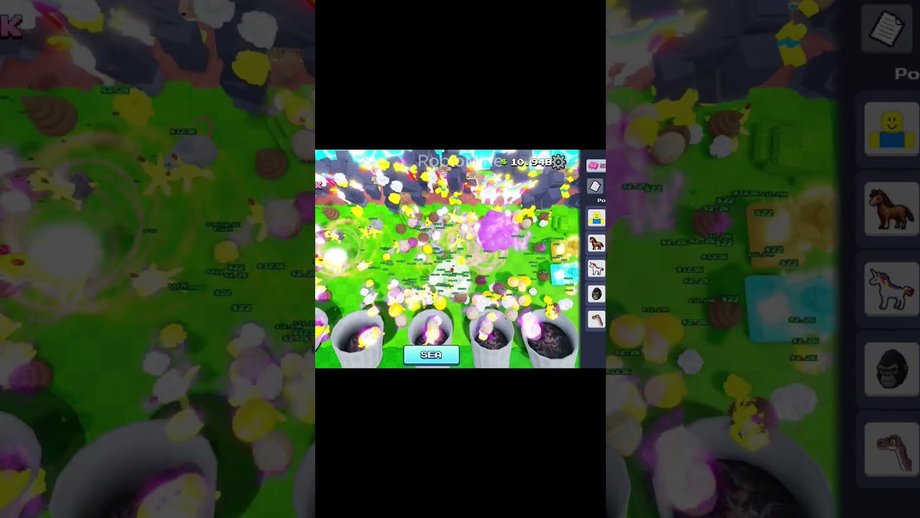
Most Roblox code guides assume a Twitter-bird button, a shop tab, or a scrolling rewards panel. For Clean the WORLD! by Bring Back Old Robloxians (place ID 105767799784652), we have not confirmed a stable public redeem menu, and Active Codes remains empty. This page still matters: it teaches you what to look for if developers add codes later, and it stops you from installing shady redeem “extensions.”
Current redeem status
- No verified active codes.
- No confirmed always-visible Codes button documented for this place.
- Prestige update text focuses on free upgrades, bug fixes, and balancing—not on a gift-code pipeline.
- SEA marketing highlights seagulls and shredders, not promo strings.
If your screen lacks a codes field, you are not missing a secret keybind—the feature may simply be absent.
If a redeem UI appears later
Use this generic Roblox-safe checklist:
- Launch Clean the WORLD from the official Roblox page with place ID 105767799784652.
- Let the experience fully load; do not paste codes into chat as a substitute unless the game explicitly says chat redemption works.
- Open menus labeled Codes, Rewards, Shop, Twitter, or Gift. Avoid third-party browser popups.
- Enter the string exactly—case and punctuation matter.
- Confirm success with an in-game toast or inventory change, then screenshot for your records.
- Report the working path so we can update Active Codes and this article.
Never type your password into a “Roblox code generator” site. Those are scams.
Why videos may still show redeem steps
Creators reuse footage across cleaning games. A clip that shows a bird icon might be filmed in another simulator entirely. Cross-check:
- Creator group name: Bring Back Old Robloxians.
- Place ID digits.
- Presence of garbage eras, Prestige F2P messaging, or SEA seagulls—not washers and pets.
When footage fails those checks, ignore its redeem overlay.
What to do instead of forcing a redeem
Progress without codes using:
- How to Play for the collection loop.
- Progression for era order.
- How to Prestige for free upgrade timing.
- SEA Update for ocean tools.
- Eras and Badges for milestone tracking.
Those pages move your account forward today; an empty code box does not.
Mobile versus PC notes
On mobile, full-screen joysticks sometimes hide corner buttons. If a Codes icon is ever added, rotate to landscape, close overlapping tutorials, and check both the top HUD and any hamburger shop menu. On PC, hover tooltips help distinguish Shop from Settings. Console players should navigate with the same menu labels rather than looking for keyboard-only prompts.
Common redeem errors (future-proofing)
- Code invalid: wrong game, expired string, or typo—check Expired Codes.
- Already redeemed: one redeem per account is standard on Roblox experiences.
- No UI: feature not live; return to gameplay.
- Wrong place: you joined a same-name title; leave and open 105767799784652.
Safety rules we will not bend
We will not publish scripts, executors, or auto-redeem tools. They violate Roblox rules and risk account loss. This codes category exists for legitimate promo strings only. See the Codes Hub for philosophy and Active Codes for the live table.
After a successful future redeem
Bank the reward into collection upgrades, not cosmetics, especially if Underground Chapter 3 or Outer Space Chapter 4 just dropped. Then reinvest using the priorities on Progression.
Step-by-step mental model
Think of redemption as four gates that must all open:
- Feature gate — the experience exposes a codes field.
- String gate — developers publish a valid code for this place.
- Account gate — your Roblox user has not already claimed it.
- Client gate — you are online in place 105767799784652 when you submit.
Today the feature gate is the blocker we can document. Until it opens, gates two through four do not matter. That is why Active Codes stays empty and why this tutorial emphasizes observation over typing.
Comparing other Roblox redeem patterns
Other simulators may use Twitter bird icons, side tabs labeled Codes, or shop banners. Clean the WORLD may adopt one of those patterns later, or invent a unique panel near Prestige or SEA menus. Do not force muscle memory from unrelated titles onto this HUD. If you only remember one rule, remember place ID verification before any paste.
Teaching friends safely
When a squadmate asks for codes, send them the Codes Hub and Active Codes instead of a Discord dump. Point them to How to Play so they earn upgrades while waiting. Mention Prestige free-upgrade messaging so they do not feel locked behind Robux. Share Eras and Badges so badge hunting replaces code FOMO.
After Underground and Outer Space
Chapter 3 Underground and Chapter 4 Outer Space may ship with limited-time gifts. When that happens, update your personal notes with the redeem path you actually clicked, then compare with this page. If the UI differs from our checklist, the live client wins—we will revise the steps rather than invent coordinates. Until then, shredder practice on SEA Update and Prestige planning on How to Prestige remain higher ROI than hunting nonexistent redeem birds.
Frequently Asked Questions
Quick answers about Prestige, SEA, badges, and codes.
Where is the codes button in Clean the WORLD?
No confirmed redeem menu is documented for this place yet.
Can I redeem codes in chat?
Only if the live game explicitly says so—do not assume chat redemption works.
Why does a YouTube video show a redeem bird?
It may be a different cleaning game. Verify place ID 105767799784652.
Are there codes to redeem today?
No verified actives—see Active Codes.
Is redeeming codes safer than scripts?
Official promo codes are fine; third-party executors are not allowed or covered here.
What page lists dead codes?
Track them on Expired Codes.