
Clean the WORLD Controls and Platforms
How to actually grab trash on PC, phone, and console without joining the wrong cleaner.
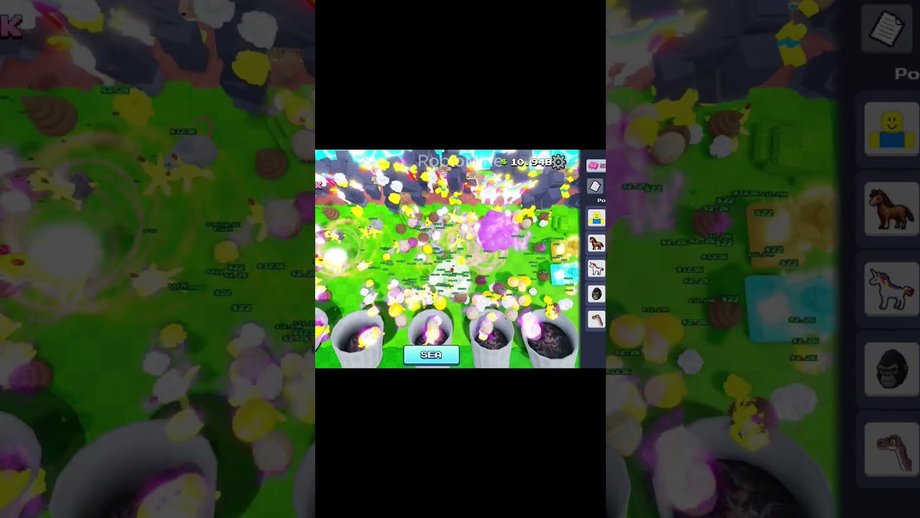
Clean the WORLD! by Bring Back Old Robloxians is an incremental garbage collector, not a washer spray game. Controls feel simple until you play on a phone with overlapping upgrade buttons or a console stick that overshoots floating debris. This page documents how to move, look, and collect on place ID 105767799784652 (universe 10494847029) without inventing keybinds the client does not publish. Roblox itself supplies the platform layer; the experience supplies pickup range, helper clutter, and 7-player servers.
If a controls article mentions frozen cameras after equipping a washer, R2 spray, or pets named Gubby, you opened the Chaseroony same-name title. Close it and confirm identity with Verify Place ID.
What you are actually doing
The loop is walk, look at a pile, collect, then spend. Collection is proximity plus interaction, not a power-wash hold. After helpers spawn—rats, horses, gorillas, dinosaurs, later seagulls—the screen fills with moving bodies. Camera control becomes as important as the collect button because you cannot time upgrades if you cannot see trash or the shop.
Pair this page with How to Play for the economic loop and Progression for era order. Controls will not skip badges; they only stop you from missing piles that sit under a gorilla.
PC
On desktop Roblox, use keyboard movement and mouse look. Lower camera sensitivity until ground trash and shoreline debris stay in frame when you turn. Incremental games punish high sensitivity because you overshoot a pile, walk past it, and blame the spawn rate.
Practical PC habits:
- Keep the mouse available for shop clicks; do not bind look so aggressively that menus become a fight.
- Zoom out enough to see helper traffic, then zoom in when you need a precise pickup on a small pile.
- After Prestige or a client restart, re-check whether any new tool (shredder, seagull loop) added a dedicated button. We do not invent that bind; read the live tooltip.
- If debris floats near water, pan slowly. SEA routes from SEA Update are easy to skip when the camera sits too high.
Shift-lock / first-person is optional. Third person usually shows more piles at once, which matters more than cinematic framing.
Mobile
Mobile is where most misclicks happen. Thumbs cover upgrade rows. The Roblox jump / joystick cluster sits near where a shop toggle often lives. Before you grind, sit in a quiet corner of the map and learn which on-screen control is movement versus which is UI.
Mobile checklist:
- Prefer a grip that leaves the right thumb free to tap collect without sliding the camera into the sky.
- After unlocking a new helper family (horses at Cenozoic, gorillas at Miocene, dinosaurs at Mesozoic—see Eras and Badges), expect more on-screen motion and raise your zoom one notch.
- If the shop covers trash, close it before walking. Currency spent on a mis-tap still spends.
- Public servers cap at seven players. A “dead” phone lobby is normal; hop once, then commit rather than bouncing forever.
Do not copy washer-game mobile advice. Those titles freeze the camera when a sprayer is equipped. This place does not market that control scheme.
Console
Console players use a stick for look and face buttons for Roblox’s default interact. Treat analog look like the PC sensitivity problem: too fast and you miss shoreline trash. If a prompt appears for interact, read it—Prestige rebirth is a high-stakes click, and TIME TRAVELER’s official badge text is “REBIRTH FOR THE FIRST TIME.” Confirm menus via How to Prestige before mashing.
Servers, ping, and why the lobby feels small
Live universe data for this place lists a maximum of 7 players per server. That is intimate, not a stadium sim. Practical effects:
- Trash competition is local. One AFK helper army can still leave piles for you, but you will not hide in a 50-person crowd.
- A quiet server is not proof the game is dead; hop once if debris never returns, then stay.
- Ping spikes show up as delayed collect confirms. Wait a beat before double-tapping purchases.
Use the Cleanup Calculator on a server you will actually replay, not a one-off empty instance with weird spawn luck.
Accessibility and comfort
Reduce motion in Roblox settings if helper swarms make you nauseous. Color-blind players should rely on pile silhouettes and audio stingers rather than a single trash hue. Nothing here requires precise flick shots; it requires patience and a camera that stays on the dirt.
Controls myths
- Myth: There is a secret WASD overlay unique to this place. Movement is Roblox-standard.
- Myth: Console R2 sprays dirt like a washer. Wrong game.
- Myth: You need a Game Pass to unlock basic collect. Store extras are optional; see Game Passes.
- Myth: Codes remap controls. Active Codes still shows none verified.
After you can collect without thinking
Go back to era goals. Cenozoic’s badge copy is “YOU UNLOCKED HORSES!” Miocene announces gorillas. Mesozoic teases dinosaurs. The turtle badge copy is “You unlocked the SEA!” Those are progression flags, not extra keybinds. When Underground Chapter 3 ships, expect new vertical camera work—prep notes live on Underground Chapter 3. Until then, a stable camera plus honest spending beats a flashy bind list copied from another cleaner.
Return to the Guides Hub when you need the full tutorial map.
Frequently Asked Questions
Quick answers about Prestige, SEA, badges, and codes.
What are the PC controls for Clean the WORLD?
Roblox keyboard move and mouse look. Lower sensitivity so ground trash stays visible, then collect in range.
Why does mobile feel harder?
Thumbs cover shop buttons and the camera. Learn the UI in a quiet corner before grinding.
Is this the washer game with frozen camera?
No. That control scheme belongs to Chaseroony’s same-name title. Confirm place 105767799784652.
How many players are in a server?
The live universe lists a maximum of seven players. Small lobbies are normal.
Do Game Passes change controls?
Passes add helpers or convenience. They are not a new control scheme—see Game Passes.