
Clean the WORLD Cleanup Goal Planner
Turn your observed garbage-per-minute into honest session estimates.
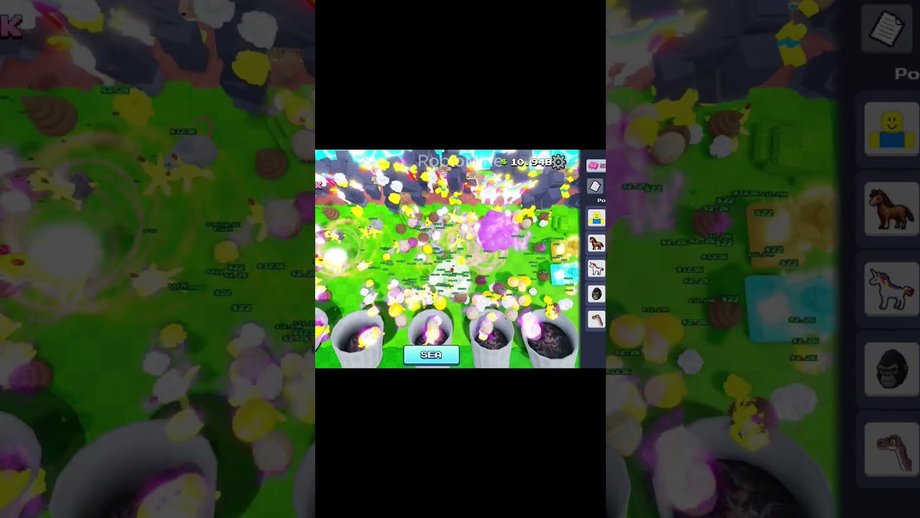
The Cleanup Calculator helps Clean the WORLD! players translate a visible garbage total into a session plan. It is built for place ID 105767799784652 by Bring Back Old Robloxians. Same-name experiences (including Chaseroony listings) are out of scope. The planner never claims an official studio formula. It only applies transparent arithmetic to numbers you type after watching your own screen.
Use this page when you are chasing a Prestige-era unlock, a SEA milestone involving seagulls or the shredder, an eras badge checkpoint, or any self-set cleanup target. Pair it with the Guides Hub for what to unlock next and the Codes Hub if a working code might fund an early buy before you grind.
How to measure pace
Pace is the only input that can lie if you rush it. Follow a short protocol so the estimate stays honest:
- Confirm the Roblox URL contains place
105767799784652and the creator is Bring Back Old Robloxians. - Note the garbage (or cleanup) counter you will track. Prefer the same UI number every time.
- Clear distractions for one full minute. Play the way you normally grind—helpers active, camera habits unchanged.
- Subtract the starting total from the ending total. That delta is garbage per minute.
- Optional: run two more one-minute samples and average them. Prestige F2P upgrades, gum-funded skill-tree nodes, and SEA helpers all move the needle, so re-sample after big unlocks.
If a minute feels chaotic because horses, gorillas, dinosaurs, or seagulls are flooding the screen, still count the net counter change. Do not invent a “true” rate by ignoring helpers; the calculator is meant to reflect your real session, helpers included.
After you understand how to measure pace, use the interactive planner below.
- Remaining
- —
- Progress
- —
- Effective pace
- —
- Estimated minutes
- —
- Whole sessions
- —
- Progress per session
- —
remaining = max(target − current, 0) · effective = pace × adjustment · time = remaining ÷ effective · sessions = ceil(time ÷ session)
Formula explained
The widget uses the same relationships printed under the results:
- remaining = max(target − current, 0)
- progress = current ÷ target (capped for display)
- effective pace = observed pace × optional adjustment (defaults to 1)
- estimated minutes = remaining ÷ effective pace
- whole sessions = ceil(estimated minutes ÷ minutes per session)
- progress per session = effective pace × session minutes
Choosing an adjustment factor
Leave adjustment blank (treated as 1) when your one-minute sample already matches how you will play. Use a value above 1 only when you expect a known improvement you have not timed yet—for example, you are about to finish a Prestige-unlocked pollution upgrade or unlock another shredder lane, and you want a optimistic what-if. Use a value below 1 when you know you will play distracted, on mobile, or without full helpers. Never hide uncertainty inside a huge adjustment; if you cannot justify the number, leave it at 1 and re-time later.
Session length tips
Average playtime on public trackers often sits around the mid-teens of minutes, but your habits matter more. If you usually log in for twenty focused minutes after school or work, enter 20. If you only squeeze ten minutes between queues, enter 10 and accept more whole sessions. Rounding up is kinder than planning a “perfect” grind you will abandon.
Worked example (illustrative)
Suppose your counter shows 40,000, you want 100,000, you measured 500 garbage per minute, and you play 20-minute sessions with adjustment 1:
- remaining = 60,000
- effective pace = 500
- time ≈ 120 minutes
- sessions = ceil(120 ÷ 20) = 6
- per session ≈ 10,000 toward the goal
If SEA seagull loops later push your measured pace to 800, the same remaining goal drops to 75 minutes and four sessions. That is why the page insists on re-measurement instead of publishing a fixed “meta rate.”
When estimates drift
Expect recalculation after:
- Prestige-related F2P upgrades that used to sit behind Robux
- Major gum sinks into the skill tree (collection radius, helper speed, value nodes)
- Unlocking rats, horses, gorillas, dinosaurs, or SEA seagulls
- Adding shredder capacity so you babysit the SEA screen less
- Hardware or FPS changes that alter how quickly you can click or push bags
If the live game description flips marketing tags between Prestige and SEA, treat that as a reminder to re-check pace, not as a reason to distrust the math.
Planning around other wiki pages
- Read upgrade readiness before spending gum on speculative nodes—the calculator cannot tell you which skill is best, only how long a numeric gap takes.
- Skim creature helpers if Game Pass names like More Rats or Golden Rats tempt you; some passes may be cosmetic or soft boosts, and we do not invent stats.
- Track chapter promises on the roadmap so you do not over-plan for Underground or Outer Space dates that are still unknown.
- Verify identity on how we check place ID before following a calculator screenshot from social media.
Limits and honesty
This tool will not predict Prestige reset costs if the game does not surface them clearly, will not invent shredder throughput tables, and will not promise badge unlock times for eras such as Mesozoic, Cenozoic, or Mythological Creatures. Badges prove milestones; they are not calculator inputs unless you personally map a badge to a garbage total you can see.
Return to the Tools Hub for orientation, keep guides open for systems, and refresh codes when a promo might shorten the remaining gap. Measure, calculate, play, then measure again—that loop is the whole product.
Frequently Asked Questions
Quick answers about Prestige, SEA, badges, and codes.
What units should I enter?
Use the same garbage or cleanup units shown on your HUD for both current and target. Pace must be that unit per minute from a timed sample.
What does the adjustment field do?
It multiplies observed pace. Leave it empty for 1.0. Raise it only for a justified future boost; lower it if you expect slower, distracted play.
Why are sessions rounded up?
Ceil keeps plans honest. A 61-minute estimate in 20-minute sessions needs four logins, not three.
Can codes replace measuring pace?
No. Codes may grant currency or items when active, but you still need a fresh pace sample after redeeming. Check the Codes Hub for current status.
Does this work after the Prestige F2P change?
Yes. Prestige changed what you can buy without Robux; it did not replace the need to time your own cleanup rate.
Will Chapter 3 break the calculator?
Underground and Outer Space may add new counters. When they ship, measure the new relevant number the same way and keep using the formula.